
How to Take a Professional Headshot
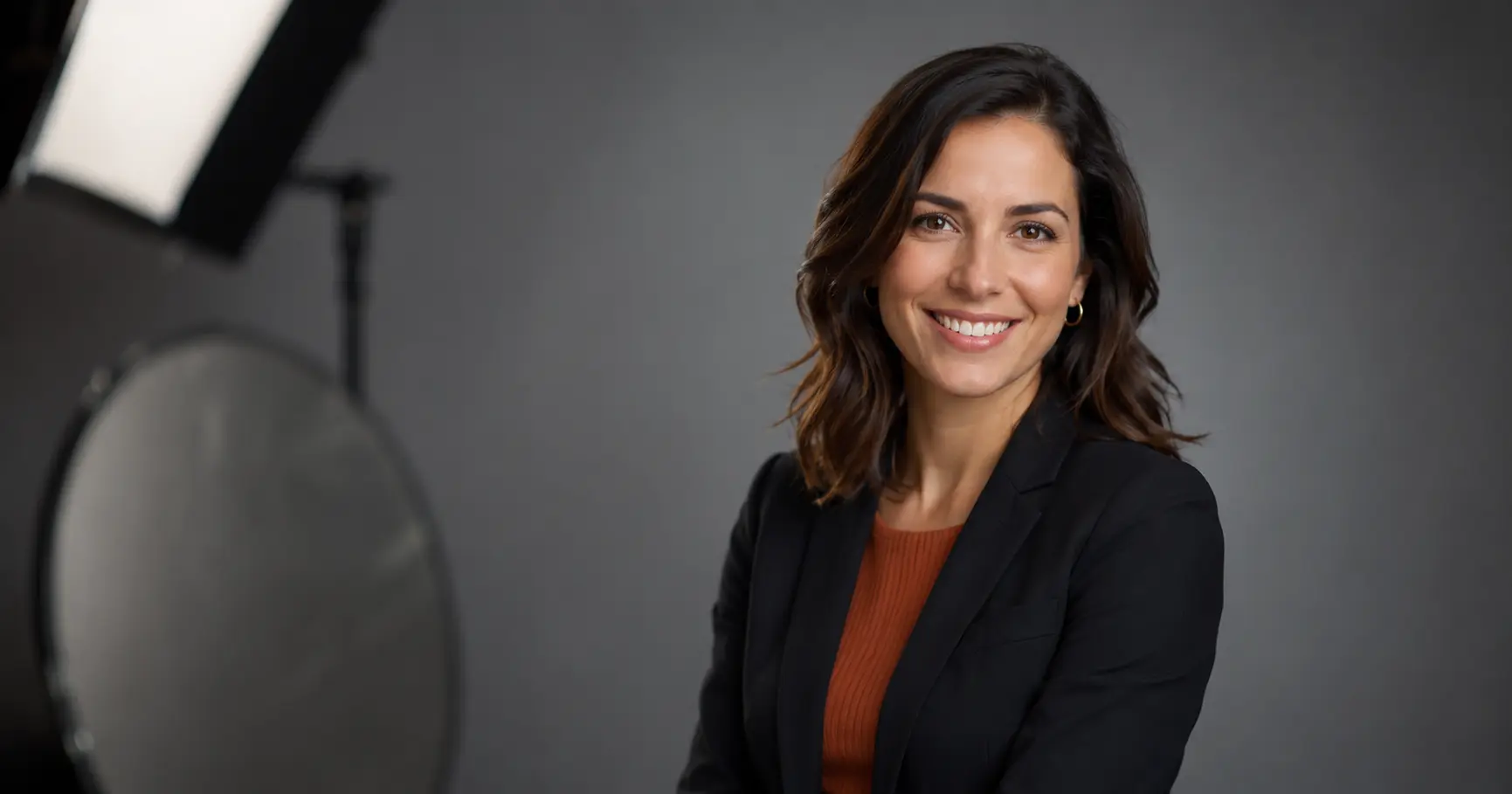
A professional headshot is the fastest way to make a strong first impression online. Whether you need one for LinkedIn, a company website, or a portfolio, this guide walks you through exactly how to get a great result—with or without a professional photographer.
Why your headshot matters more than you think
Your headshot is often the first thing a recruiter, client, or colleague sees before they ever read a word about you. A polished photo signals confidence and credibility; a blurry crop from a group photo signals the opposite.
Profiles with professional photos attract significantly more views and connection requests than those without—this is consistently reported by LinkedIn's own usage data. The investment of time (or money) in a quality headshot has a real return.
Step 1: Choose the right background
Keep your background simple so the focus stays on your face.
- Neutral colors — white, light gray, and soft blue are universally safe.
- Blurred office or indoor setting — adds context without distraction when shot in portrait mode.
- Outdoor with greenery — works well for roles in creative, nonprofit, or people-facing fields; natural light is a bonus.
Avoid cluttered rooms, patterned wallpaper, or anything that competes for the viewer's attention.
Step 2: Get the lighting right
Lighting is the single biggest factor separating a professional-looking headshot from an amateur one.
- Natural window light is the most forgiving and flattering option. Position yourself facing the window—not with the window behind you—so the light falls evenly across your face.
- Avoid overhead lighting (ceiling fixtures, sunlight coming from directly above), which creates harsh shadows under the eyes and chin.
- DIY studio light — a ring light or a desk lamp aimed at a white wall or foam board produces soft, even illumination comparable to a basic studio setup.
Shoot during the day for the most consistent results.
Step 3: Dress for the role you want
Your outfit sets professional context for the viewer before they process anything else.
- Corporate or finance: A blazer, collared shirt, or structured dress. Stick to solid, muted tones.
- Tech or creative: Business-casual still reads well. A clean, unbranded crew-neck or button-down avoids looking underdressed without feeling stuffy.
- Healthcare or education: Scrubs or professional attire appropriate to your field both work fine.
As a rule: avoid busy patterns, large logos, and neon colors—they draw the eye away from your face. Your clothing should frame you, not compete with you.
Step 4: Nail the pose and expression
Good posture and a genuine expression make a professional headshot feel approachable and trustworthy.
- Angle your body slightly (about 15–30 degrees) rather than shooting straight-on; it looks more natural on camera.
- Tilt your chin very slightly downward and forward—this reduces the appearance of a double chin and brings your eyes into sharper focus.
- Expression: A relaxed, closed-mouth smile or a natural open smile both work depending on your industry. Practice in a mirror beforehand. Avoid a forced grin or a blank stare.
Take many shots. It usually takes 20–30 frames to get one that feels natural.
Step 5: Use the right equipment (without overspending)
You do not need a professional camera. A current-generation smartphone in portrait mode produces more than enough resolution for LinkedIn or a company website.
What actually helps:
- A tripod (even an inexpensive phone tripod) removes camera shake and lets you position the camera at eye level—not below it.
- Portrait mode on your phone blurs the background with a pleasant depth-of-field effect.
- A Bluetooth remote shutter or the self-timer lets you pose naturally instead of stretching toward the camera.
Set the camera to eye level or just slightly above. Never shoot from below—it's an unflattering angle in almost every case.
Step 6: Crop and frame correctly
The standard headshot frame includes your head and the top of your shoulders, with a small amount of space above your head. A tight crop that clips the top of your hair, or a wide shot that shows your full torso, moves away from the recognized headshot convention.
For platform-specific sizing—such as LinkedIn's circular profile crop—check our guide on how to choose the right headshot aspect ratio before you finalize your image dimensions. You can also use the LinkedIn profile picture circle crop tool to preview exactly how your photo will appear.
Step 7: Edit and enhance—but don't overdo it
Light editing improves almost any photo:
- Adjust brightness and contrast so your face is well-lit and shadow-free.
- Minor skin retouching (smoothing harsh shadows, reducing shine) is standard. Heavy filtering or skin-smoothing that makes you look unrecognizable is not.
- Color balance — make sure skin tones look natural rather than orange or grey.
If you want to swap backgrounds, fix uneven lighting, or generate multiple professional variations without setting up any equipment, an AI headshot generator is the most efficient path. FastHeadshot takes a set of casual photos and produces studio-quality headshots in minutes—useful when you need results quickly or lack access to a good shooting space.
When AI headshot generation makes sense
Not everyone has a well-lit room, a tripod, and an hour to spend on a photo session. AI-generated headshots have become a legitimate option for:
- Job seekers who need a LinkedIn-ready photo before an interview.
- Remote professionals working from home without a photogenic setup.
- Teams and companies that need consistent headshots across a distributed workforce.
- Anyone who hates the process of taking photos of themselves.
See how AI-generated results compare to traditional photography in the AI vs traditional headshots breakdown, or explore where to get a professional headshot for LinkedIn if you want to compare all your options side by side.
If you'd rather try a DIY approach first, the guide to taking a great headshot at home covers a more detailed at-home setup.
Common mistakes to avoid
- Cropping yourself out of a group photo. It almost always looks awkward and the other person's shoulder tends to appear.
- Using a photo that is more than five years old. People need to recognize you when they meet you.
- Selfie angle with your arm in the frame. Even a good smartphone camera at arm's length distorts facial proportions.
- Over-editing. Skin that looks like porcelain and eyes that glow are obvious tells. Keep edits realistic.
- Mismatched formality. A very casual photo on a conservative industry profile undermines the impression you're trying to make.
Ready to skip the setup entirely? Generate your professional headshot with FastHeadshot — upload a few casual photos and get studio-quality results in minutes. View pricing plans to find the option that fits your needs.
Frequently asked questions
Can I use a selfie as a professional headshot?
A straight selfie—shot at arm's length—usually shows distorted proportions and an awkward angle. That said, if you use a timer or a tripod so the camera is positioned at eye level and several feet away, the resulting photo can look professional. Read more in can a professional headshot be a selfie.
What background color is best for a headshot?
Light neutral colors—white, soft gray, or a muted beige—are the safest choices because they don't clash with skin tones or clothing. A slightly blurred natural setting (trees, a plain wall) also reads as professional. Avoid busy patterns or any background that pulls the viewer's eye away from your face.
How many photos should I take?
Take at least 30–50 frames in a single session. You'll discard most of them, but having volume means you're more likely to capture a natural expression and good lighting. Shoot in bursts when you find a pose that feels good.
Do I need professional lighting equipment?
Not necessarily. A large window with indirect daylight is often better than an entry-level studio light used incorrectly. If you shoot indoors without good windows, a basic ring light (available for under $30) and a white foam board as a reflector will make a noticeable difference.
How often should I update my headshot?
A good rule of thumb is to update your headshot every three to four years, or sooner if your appearance changes significantly (new hairstyle, glasses, significant weight change). Your headshot should look like you on a good day—not like you five years ago.
Related articles
Headshot Aspect Ratio Guide: Best Ratios for Every Use
Learn which headshot aspect ratio to use for LinkedIn, websites, resumes, and social media. Quick-reference table and practical cropping tips included.
AI Headshot Prompts: Write Better Prompts for Pro Results
Learn the exact 4-part formula for writing AI headshot prompts that produce studio-quality results. Includes copy-paste examples for every industry.
AI vs Traditional Headshots: Cost & Quality Compared
Comparing AI headshots vs traditional photography on cost, quality, speed, and professional perception — so you can choose the right option for your needs.